Dancin Dogg OptiShot Shot Making Simulator
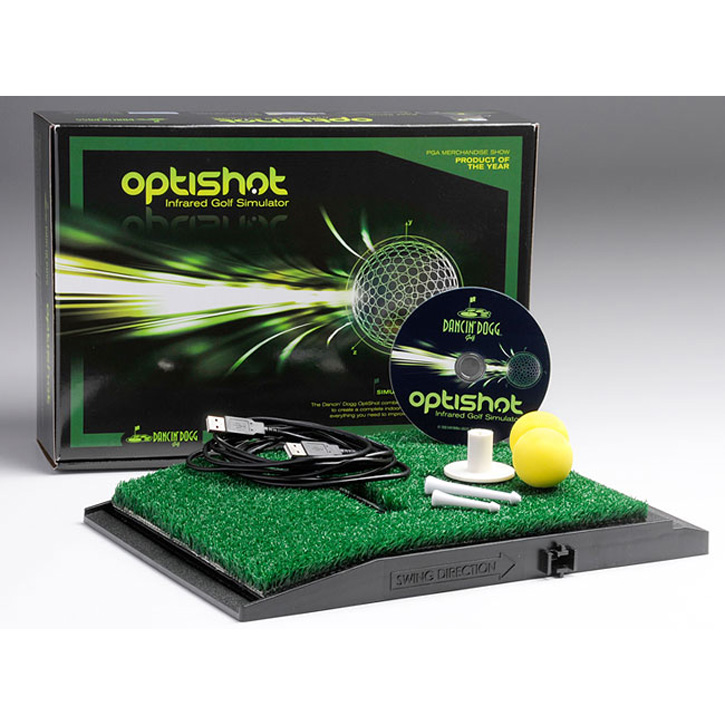
OptiShot Infrared Golf Simulator combines pinpoint accurate swing analysis in a highly realistic, three-dimensional visual golf environment... All in the comfort of your own home.
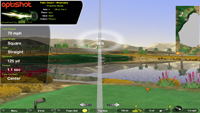
Optishot Infrared Golf Simulator combines Dancin' Dogg's award winning accurate swing and shot analysis with our own proprietary three dimensional visual golf software called "3DD Golf". 
Advanced Simulator | 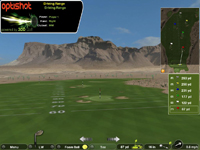
Pinpoint Accuracy | 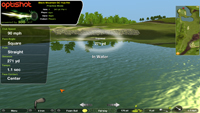
Library of World Class Golf Courses | |
Sixteen advanced infrared optical sensors accurately measure your club through the impact zone capturing shot impact conditions.
Club head speed
Face angle
Swing path
Toe/center/heel - face contact
Visual feedback of each shot
Now, Do It Again!
Please don't tell us you hit it perfect the first time. You did? Lucky you. Try it again anyway. Keep practicing until you've gotten to the point where you're making the shot more and with more confidence.
Practicing in Places Where You Can't Swing
On the road, in a hotel room, plane or somewhere else where swinging a club is out of the question? No problem. You can still create shot making scenarios by programming in what if scenarios regarding club, swing speed and club face angle at impact.
| 
Amazing Graphics | 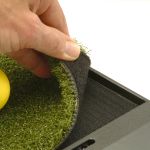
Replaceable Turf | 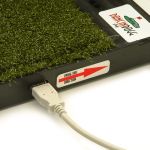
USB Connection | | | What is included |  | | | • | Infrared Optical Swing Pad | | • | OptiShot 3DD Golf Software | | • | USB cable (10 ft.) | | • | Foam practice balls | | • | Adjustable rubber tees | | • | Quick-start guide | | 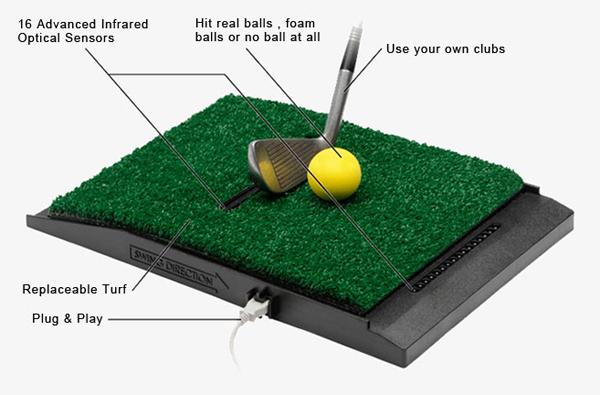 | Features: Dancin Dogg OptiShot Golf Simulator | | | | • | Play with up to four players | | • | Hit all shots from tee to green | | • | Use your own clubs | | • | Ability to tune settings specific to your club set | | • | Practice shots from anywhere on any course | | • | Expanding library of replicated world class golf courses | | • | Par 3 Tee Feature - great for confined spaces | | • | Supports left or right-handed players | | • | Standard or metric measurements | | • | Entertain friends and family while improving your game | | • | Durable & Built to last - 180-Day Limited Warranty | | • | Software upgrades and new features | | | System Requirements | | | | • | Personal Computer with USB 2.0 | | • | Windows 7, XP or Vista Windows® | | • | Memory: 2 GB | | • | 3 gigabytes (GB) of available hard disk space | | • | Video Card: 256 MB Open GL 2.0 Compliance
ATI Raedon 9500 or greater
NVidea GeForce 3 6200 or greater
Intel 945 or greater | | • | Keyboard and Microsoft Mouse or compatible pointing device | | | FAQ'ss | | | Will every iron shot I ever hit go exactly where I want it to go?
No. From time to time, just like the pros, you're going to open your hands, grip too tight, drop a shoulder, get too aggressive or commit any one of the many other mistakes to which we're all subject.
What WILL Dancin Dogg Do?
It will make those errant iron shots less common. When they do happen, it will help give you the skills and confidence to recover in a way that will save you strokes. It will help you become a more accurate shot maker and shaper and improve your course management skills. You'll hear the phrase Golf shot! more often from those you play with and against.
What makes Dancin Dogg different from other golf simulators?
The difference is, with Dancin Dogg you can set up iron shots you KNOW you're going to encounter in real life. Then, after working on these shots you can bring your new techniques out into the real world and watch them literally take shape.
What if Dancin Dogg Doesn't Make Me A Better Shot Maker?
It will. But, if you don't think it has, send it back within 30-days for a full refund.
What if I'm Someplace Where I Can't Swing a Club?
With Dancin Dogg you can still get real shot making learning-value no matter where you are. The product is programmed with virtual what if scenarios. Put the ball where you want, select a landing area, aim and then enter in what if I use a 7-iron and what if I hit it at 80MPH and what if my club face is open 4 degrees. Then shoot. It doesn't replace the value you get out of actually hitting the ball but it can still help to give you a better idea of what is required to make the shot.
Why The Focus On Irons?
Iron play accounts for about 70% of your game. All shots are important but by focusing on the irons we were better able to provide a more pinpoint accurate technology without having to compromise for driver plate shapes (which wouldn't then apply to the irons). Irons are the tools that get you out of the trouble a driver put you in. Irons are the tools that determine how long the putt will be. They're the magic wands of the game and the more skill and confidence you have in them, the lower your scores will be.
What are the best lighting conditions?
The device uses infrared technology to reflect off the sole of the club. The ambient lighting should be as low as comfortable to ensure best results. The light sources with the lowest infrared content are florescent and compact florescent bulbs. (Those are the cork screw looking bulbs.)
Halogen is also high in infrared light and can interfere with the device.
What clubs does it work with?
Since the infrared reflects off the club as smooth reflective surface provides the best results. Curvature in the sole plate of the club can cause problems. Because of this the best results are usually achieved with clean reflective irons.
How do I try it out?
If you want to try it out then take advantage of our money back guarantee . Order a unit and if you are not satisfied then return in within 30 days. Risk free!
We are so confident you will be completely satisfied with the Dancin' Dogg Shot Making Simulator that we stand behind it.
What do I need to use the Dancin' Dogg Shot Making Simulator?
You need a golf club. A desire to play golf.
The Dancin' Dogg Shot Making Simulator works on personal computers that run the Microsoft Windows operating systems. Check the system requirements for more details. You also need enough room to swing a golf club.
Do I need to use my TV?
No.
The computer screen is all that is needed.
However, you can hook up your computer to your television to provide a larger screen of the golf action. Most computers have a S-Video output that you can plug right into your TV.
How much room do I need for the Dancin' Dogg Shot Making Simulator?
You need to be able to safely swing a golf club. All of that depends on your height, the steepness of your swing and the length of the golf club. You should try taking some swings with a shaft or a stick the length of the club you intend to use to see if a space is suitable.
Tell me what fun has to do with golf?
The best golf usually happens when you are tension free. Laughter is one of the best ways to release tension.
We at Dancin' Dogg Golf believe that all good things come from hard work and having fun.
Where are the sensors located?
The sensors are on either side of the tee, just beyond the grass pad.
Is it possible to break a sensor?
We have done extensive durability testing, using a mechanical golfer we call Mr. Destructo, and have been unable to break a sensor. Mr. Destructo has simulated year's worth of really bad swings without breaking a sensor.
If you somehow find a way to break a sensor, despite our best design efforts, the entire unit falls under our 30 day Money Back Guarantee as well as the 180 day Limited Warranty. If there are any issues beyond that, one can give us a call and we can quote a repair or replacement prices.
Our goal is to keep you loving your Dancin' Dogg Shot Making Simulator for years to come!
Do the sensors know what the ball is doing?
No, the sensors detect the club movement and not the ball.
Do I have to use the rubber tee?
You can hit the ball off a grass pad or use the tee.
What if I'm left handed?
The software has a preference setting for the left handed golfer. Also, if you decide to buy the precision cut mat, it has a cable channel for a left handed setup.
What if I use a Mac?
As of right now, there are no plans for a Mac OSX version of the product.
Can I use the Dancin' Dogg Shot Making Simulator with a laptop running on batteries?
Yes.
A laptop running on batteries is sufficient to use the Dancin' Dogg Shot Making Simulator as long as all other system requirements are met.
The Dancin' Dogg Optical Swing Pad connects to your computer through a USB cable and requires no additional power supply.
Can I use the Dancin' Dogg Shot Making Simulator outside?
The Dancin' Dogg Shot Making Simulator is designed to be used inside. The Dancin' Dogg Shot Making Simulator cannot be used in direct sunlight.
The sensing technology is based in infrared light. Direct sunlight has a large amount of infrared light.
Some artificial lighting may also be high in infrared light. Notably halogen lighting may interfere with the device. The most reliable lighting is florescent. It is very low in infrared.
What kind of computer do I need?
The Dancin' Dogg Shot Making Simulator works on personal computers that run the Microsoft Windows operating systems. Check the system requirements for more details.
Will every shot I ever hit go exactly where I want it to go?
No. From time to time, just like the pros, you're going to open your hands, grip too tight, drop a shoulder, get too aggressive or commit any one of the many other mistakes to which we'e all subject.
What if I'm Someplace Where I Can't Swing a Club?
With Dancin Dogg you can still get real shot making learning-value no matter where you are. The product is programmed with virtual what if scenarios. Put the ball where you want, select a landing area, aim and then enter in what if I use a 7-iron and what if I hit it at 80MPH and what if my club face is open 4 degrees. Then shoot. It doesn't replace the value you get out of actually hitting the ball but it can still help to give you a better idea of what is required to make the shot. | | |